How To Change Footnote Font in Word
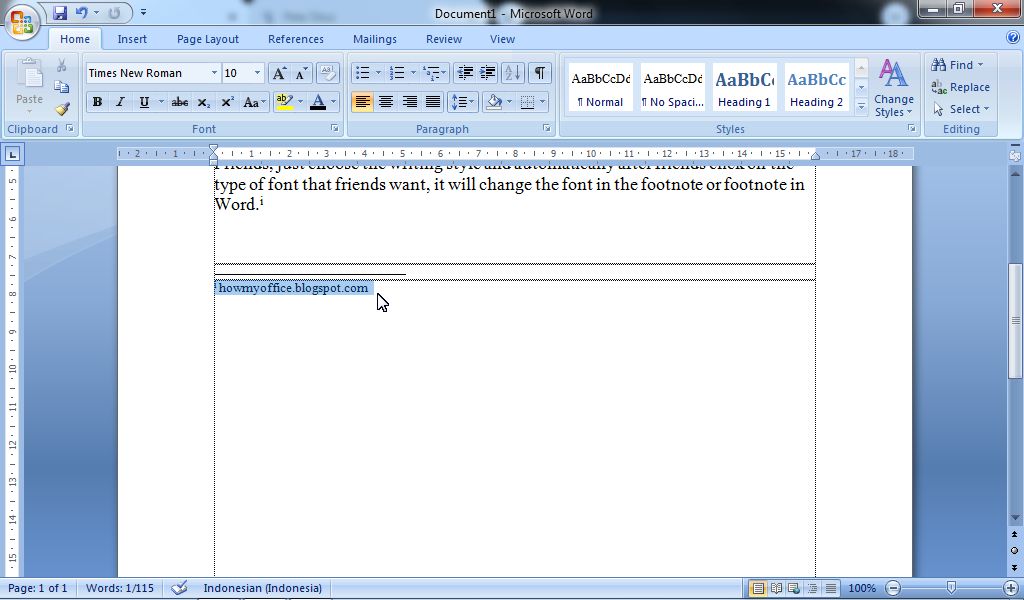
So, if you are wondering, can you change the footnote font? or how to change the footnote font type in word? I answered, the method is very easy and the method is the same as we change the font in writing as usual. Only mark or select the footnote that you want to change the type of writing, after that enter the Home menu then select the type of font or writing that you want to use in the Font Style. More Tutorials: How to Delete Text Box in Word How to Print on Microsoft Word 2007 How to Insert Portrait and Landscape in Same Word Document How to Convert Word 2010 to PDF How to Convert a Word 2007 Document to PDF Just choose the writing style and automatically after you click on the type of font that you want, it will change the font in the footnote or footnote in Word. More Tutorials: How to Move Word Files to Desktop Screen How to Write in Pictures in Word How to Align Page Numbers in a Word Table of Contents How to Make Diagonal Line in Word Tables How to Autorecover Settings...