How to Change Slide Order in PowerPoint
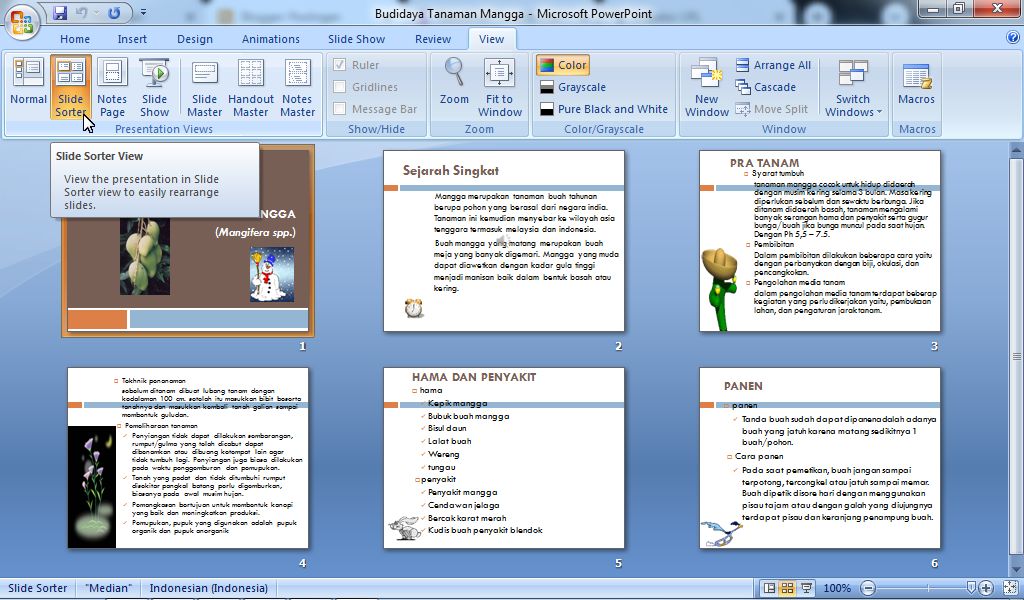
There are times when when we make presentation slides in Microsoft PowerPoint, we also take slides from other PPT files so that the slides in our PPT files get messy and we need to sort them back in the order we want. As for how to move the slides to the order we want, it's very easy. Before we change or adjust the position of the slides, you first need to change the Presentation Views from the "Normal" view to the "Slide Sorter" view so that the slide display can be clearer and makes it easier for us to change the slide order. More tutorials: How to Display Notes on PowerPoint How to Print Certain Slides in PowerPoint How to Show Thumbnails in PowerPoint How to Convert PowerPoint 2007 Slide to Picture Now, after that, friends, select a slide that you want to move its position by right-clicking on the desired slide with the mouse, then hold it down (don't release the click first) then slide it to the position or order you want, then release the clicks. Do t...