How to Show Margins in Excel 2007 Print Preview
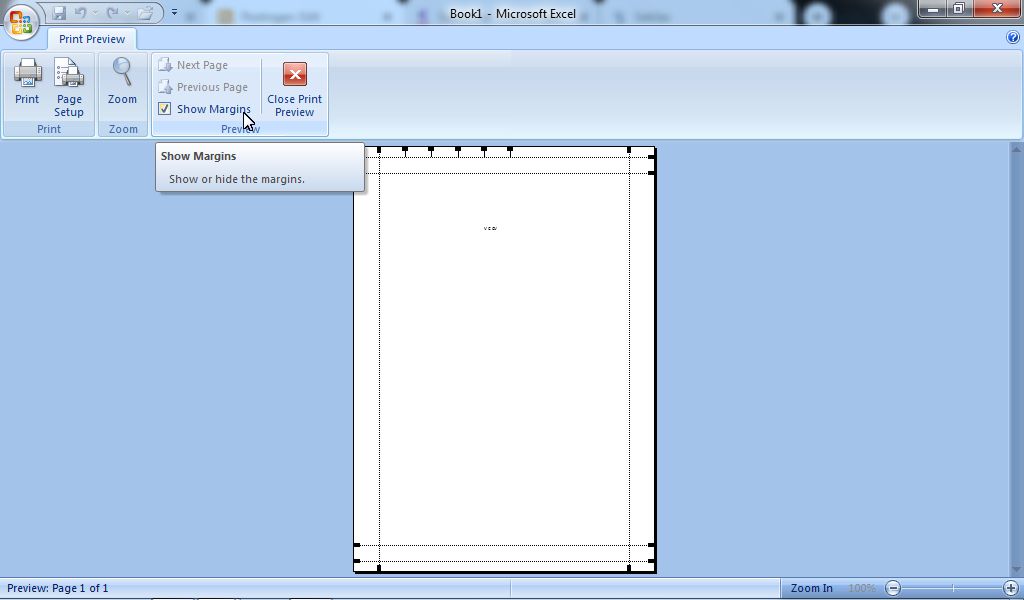
In general, there are two ways that we can use to set margins in Microsoft Office Excel 2007. One of them is to set and edit Excel margins in Print Preview. The trick is to enter the Print menu by pressing the P and Ctrl keys on the keyboard simultaneously. Then a new Print window will appear, and select Preview in the lower left corner. Or if you want to be quick, you can also click the Office button in the upper left corner of the Excel worksheet, then hover over Print and select Print Preview , after which it will immediately enter the Print Preview view. in the Preview section , click Show Margins . More tutorials: How to Remove Page 1 Watermark in Excel How to Search for Duplicates in Excel Workbook How to Merge Cells in Microsoft Excel Mail Merging With Microsoft Excel and Word Excel to PDF Converter in Excel 2007 Now, after that a margin line will appear around the worksheet. Set margins as ...