How to Convert a Word 2007 Document to PDF
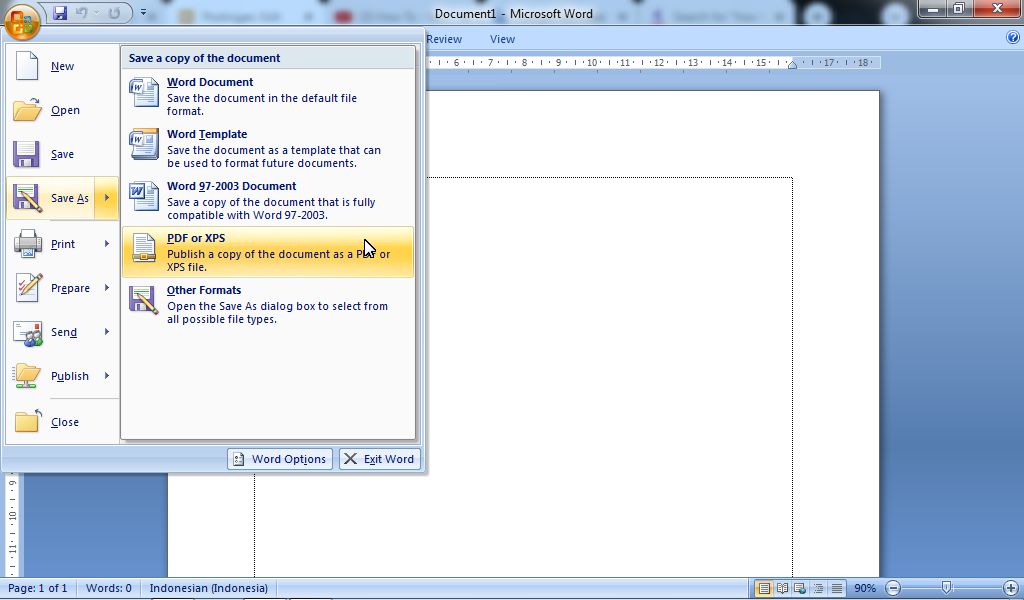
PDF is a document format that is used by many people and is very popular for sending between documents. Initially, PDF documents (Portable Format Documents) could only be opened and created using software from Adobe, but in the end, a lot of software has been created to be able to read PDF format documents. PDF documents are also now easy to create, one of which is by writing an article in Microsoft Word and then converting or saving the text to PDF format. How to change it? How to change it is very easy, in the following we will provide the steps. More Tutorials: How to Set Default Paper Size in Word How to Change Line Spacing to 1.5 in Word How to Set Paper Size in Word How to Remove Table Lines in Word Without Deleting Text How to Print 2 Pages 1 Paper in Word 2007 First of all, create or open a Microsoft Office Word 2007 document which will later be converted into a PDF file. Then click the "Office Button" which is in the upper left corner. Then select "Save As"...