How to Copy Table in Word
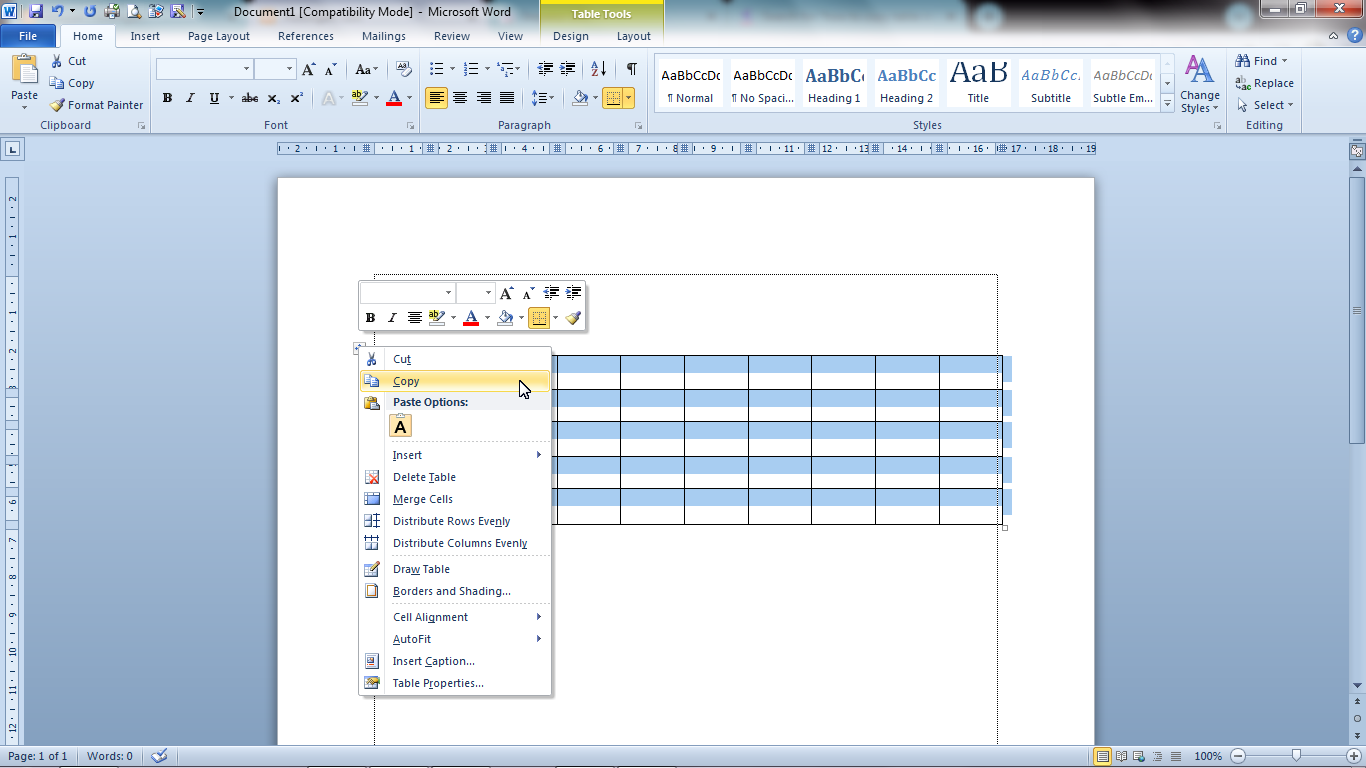
There are times when we create a document in word, we also create several tables where the form of the table is the same but the data inside is different. Now, instead of making tables over and over again, it is better if we copy the previous table and replace the data so that the process is fast. For how to copy tables in Microsoft Word 2010, the method is very easy. Determine in advance the table to be copied, then friends point the cursor at the upper left corner of the table, until a box appears in the table. Friends, click on the box until the entire table is selected or blocked. More Tutorials: How To Change Footnote Font in Word How to Put Page Number On Microsoft Word How to show Text Boundaries in Microsoft Word How to Show Vertical and Horizontal Ruler in Word After that friends right click on the mouse then select "Copy", then friends go to the page where the copy of the table will be placed. Place the cursor or click on a location on the page, right-click again on...