Posts

Showing posts with the label Windows

How to Move Word Files to Desktop Screen
Image
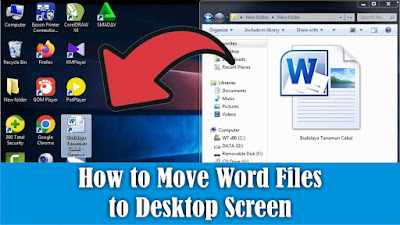
The desktop is the first screen you see when you turn on your computer or laptop. Therefore I prefer to save files on the Desktop screen compared to data storage, especially if we put the file in many folders so we spend time looking for it. In general, we move Word files to the Desktop screen by simply copying and pasting, or we can also move Word files to the Desktop screen by creating a shortcut or shortcut. In my opinion, this method is very good compared to Copy or Cut. The method is very easy, friends first select the Word file you want to move or create a shortcut on the Desktop screen, then right-click on the mouse on the file, then select Send to and select Desktop, a Word file will automatically appear in the form of a shortcut. So if we open the Shortcut file on the Desktop, it's the same as opening the original file in the storage folder so it's easier to get it. Well, how about friends, how easy is it? That's the way to move Word files to the Desktop screen. Ho...
How to Move Word Files From Laptop to Flashdisk

Image
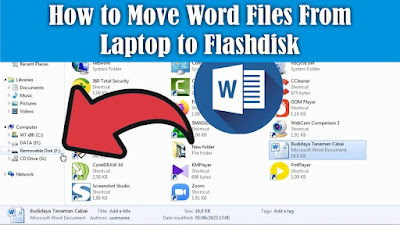
Maybe there are still friends who are still confused about how to insert a Word file into a Flashdisk, and are confused about how to quickly move it without copying and pasting the file, even though this method is commonly used by many people. To move Word files or other files from a laptop to a flash drive, it's very easy. The first step, friends, first insert the flash drive into the USB port and make sure that your flash drive still has free space. Then find the Word file that you want to move or insert into the flash drive, then right-click the mouse on the file, then select Send To. Then several choices of places to move the file will appear, friends, select a flash drive, friends, usually called a Removable Disk. After that the file we selected earlier will automatically be copied into the Flashdisk. So how about friends, how easy is it? That's the way to move Word files from a Laptop to a Flashdisk, I hope this tutorial can be useful for all of you.

How to Recover Deleted Files on PC Computers and Laptops

Image
Maybe friends accidentally delete or delete important files on a computer or laptop, and friends are confused about how to restore the deleted files to be recovered or restored. In general, most computers or laptops use the Windows operating system, and usually when we delete a file on Windows, the file will be stored first in the trash or Recycle Bin. So, if you delete a file, try to check in the Recycle Bin whether the file you deleted earlier is in the Recycle Bin. If so, friends can restore the file by right-clicking on the mouse on the file we want to restore. Then click Restore, the file will automatically disappear in the Recycle Bin and will appear in the folder where we last saved it, for example on the Desktop. So how about friends, how easy is it? That's the way to recover deleted files on a Windows Computer or Laptop. Hopefully this tutorial can be useful for all my friends.