How to Make Big Curly Brackets in Word
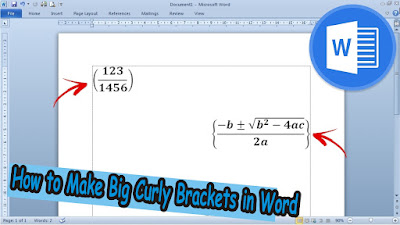
Usually we make brackets to fill them with writing where the size of the brackets is not that big or just standard. However, sometimes we also have to make brackets that contain a formula or fraction that requires the brackets to be large. Well, to make parentheses large enough to fit the contents such as formulas or fractions, the method is very simple. Here we use the parentheses in the Equation, found in the "Insert" menu. Friends go to "Equation" then friends select "Bracket", found in the "Structures" section. More Tutorials: How to Remove Text Box Lines in Word How to Hide Scrollbar But Still Scroll How to View Scroll Bar in Word How to Print 4 Pictures on One Page in Word 2010 In this bracket, friends can choose various shapes and sizes of brackets according to the needs and wishes of friends. After friends select the desired form of brackets, friends can fill in the brackets by clicking on the small box inside. Can fill it with writing, o...